
This lesson dives into advanced techniques: making the model reason step-by-step with Chain of Thought, returning structured outputs, and detecting hallucinations with logprobs. You’ll also learn how to chunk documents effectively — and even run an open-source LLM on your own machine.
Recently, the team at Anthropic (creators of Claude) released an article titled Building Effective Agents.
Here are a few key insights from it:
Conclusion: An LLM is just a building block. A real agent is architecture + orchestration. This is where Directual comes in.
If you want the assistant to return not just plain text, but structured data, you need to use Structured Output.
This can be in the form of JSON, XML, markdown, a table, etc.
There are two ways to set up SO on the Directual platform:
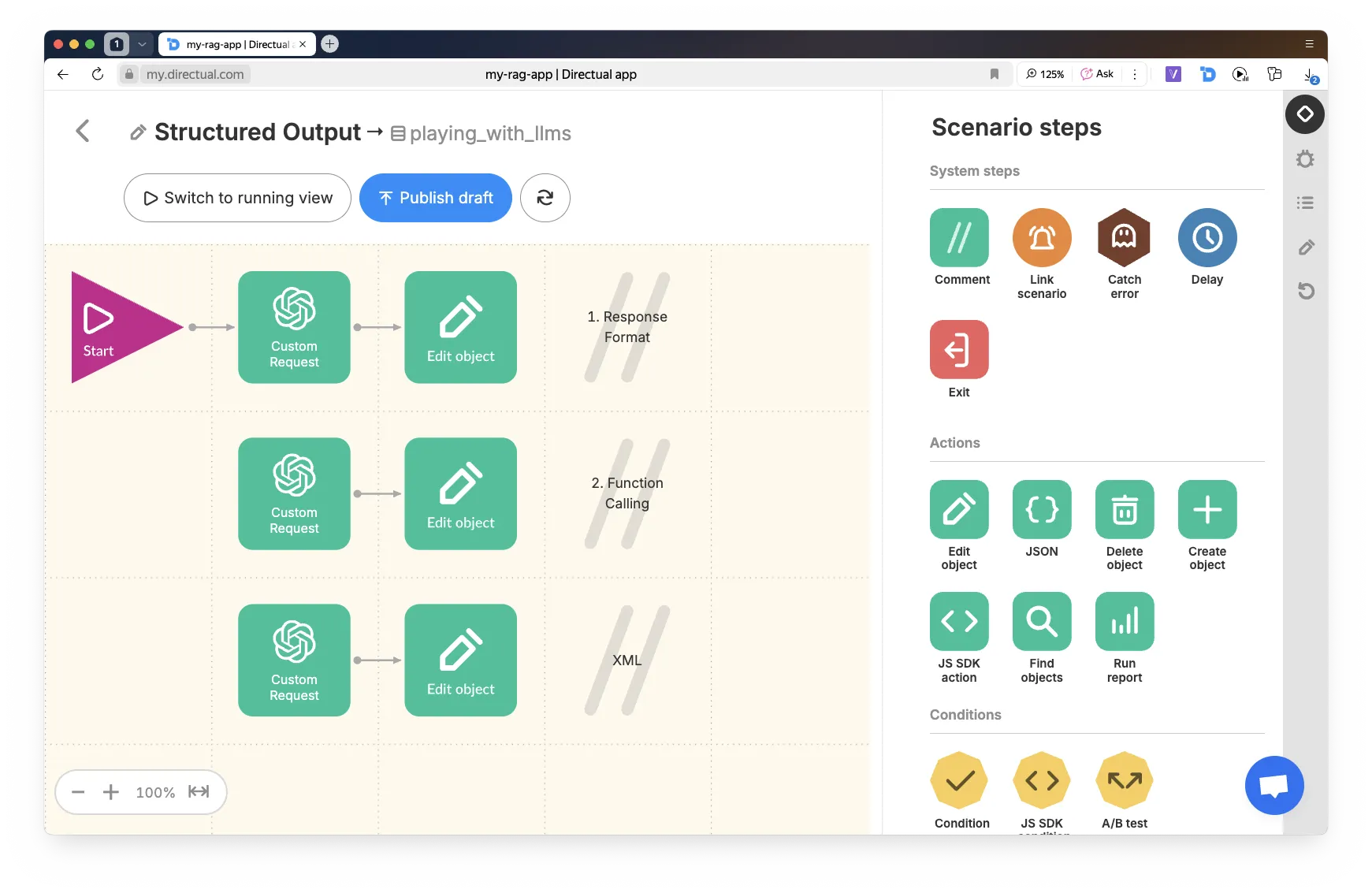
This is the option where you add "response_format": { "type": "json_object" } to the request, and define the response structure directly in the system prompt. Request example below:
This option involves using tools. In this case, the response format is guaranteed. Request example below:
If you need a different format (for example, XML), specify it directly in the prompt text.
Chain of Thought (CoT) is a technique where the model reasons step by step. This:
The model reasons through the problem,
then returns a final JSON.
You can store the reasoning steps for logging, while showing only the result to the user.
Example of a CoT + SO request from Directual:
As a result, we get a JSON like this, which can be further processed in the scenario:
When you have a lot of documents, and they’re long — you need to split them into chunks.
In Directual, it’s convenient to implement chunking in three steps:
{ "chunks": [ { "text": "..." }, { "text": "..." }, ... ] }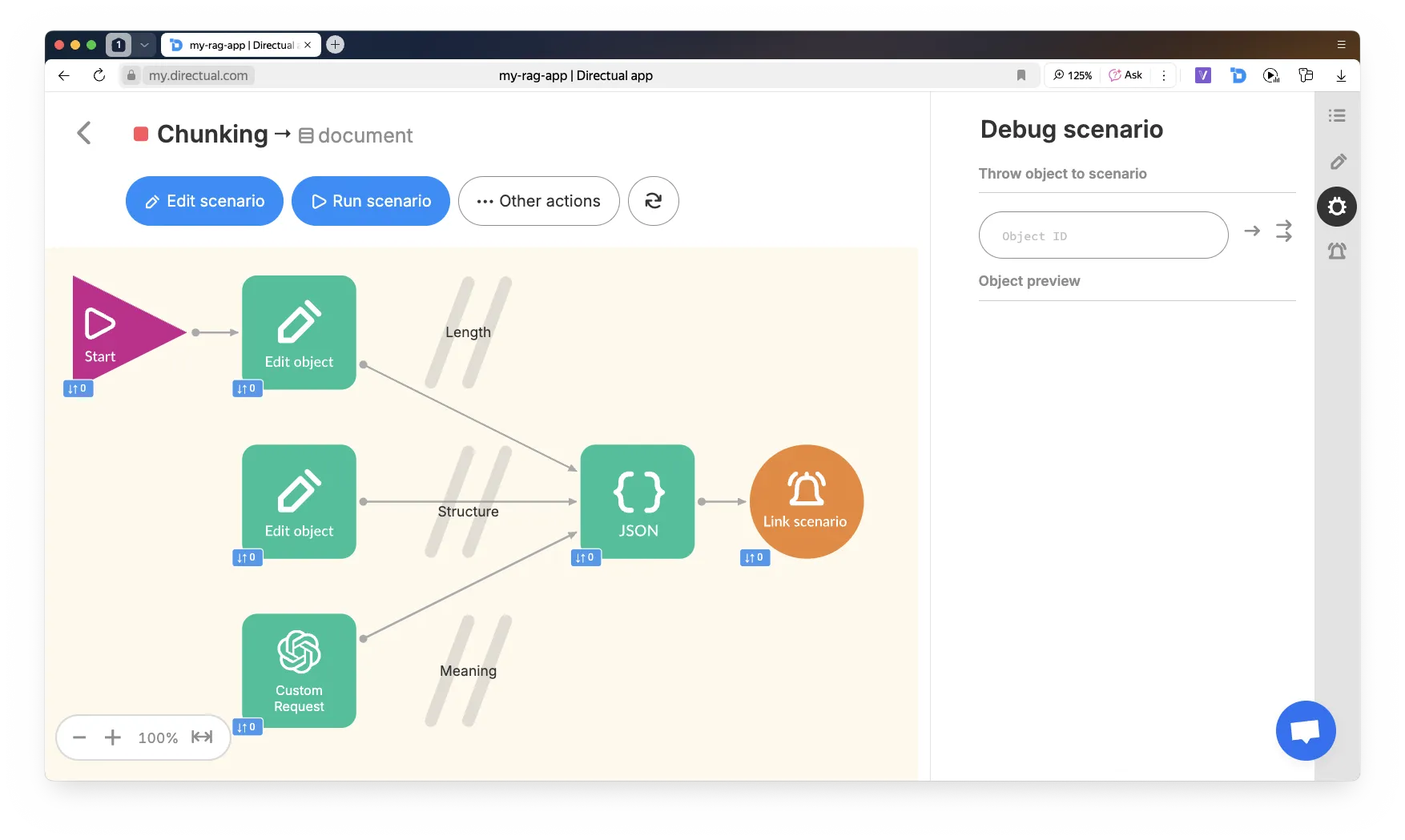
There are three methods for splitting text into chunks:
For example, 100 words with an overlap of 10.
The code for generating JSON is below.
Note: to use arrow functions, you need to enable ECMAScript 2022 (ES13) in the START => Advanced step. By default, ES6 is used.
Also, when saving a JS object into a field of type json, make sure to wrap the expression with JSON.stringify().
Split into paragraphs. If a chunk is shorter than 5 words, merge it with the next one — it’s probably a heading.
Code for the Edit object step:
Send a request to ChatGPT:
Poor chunking = repetitive answers, broken logic, or “nothing found.”
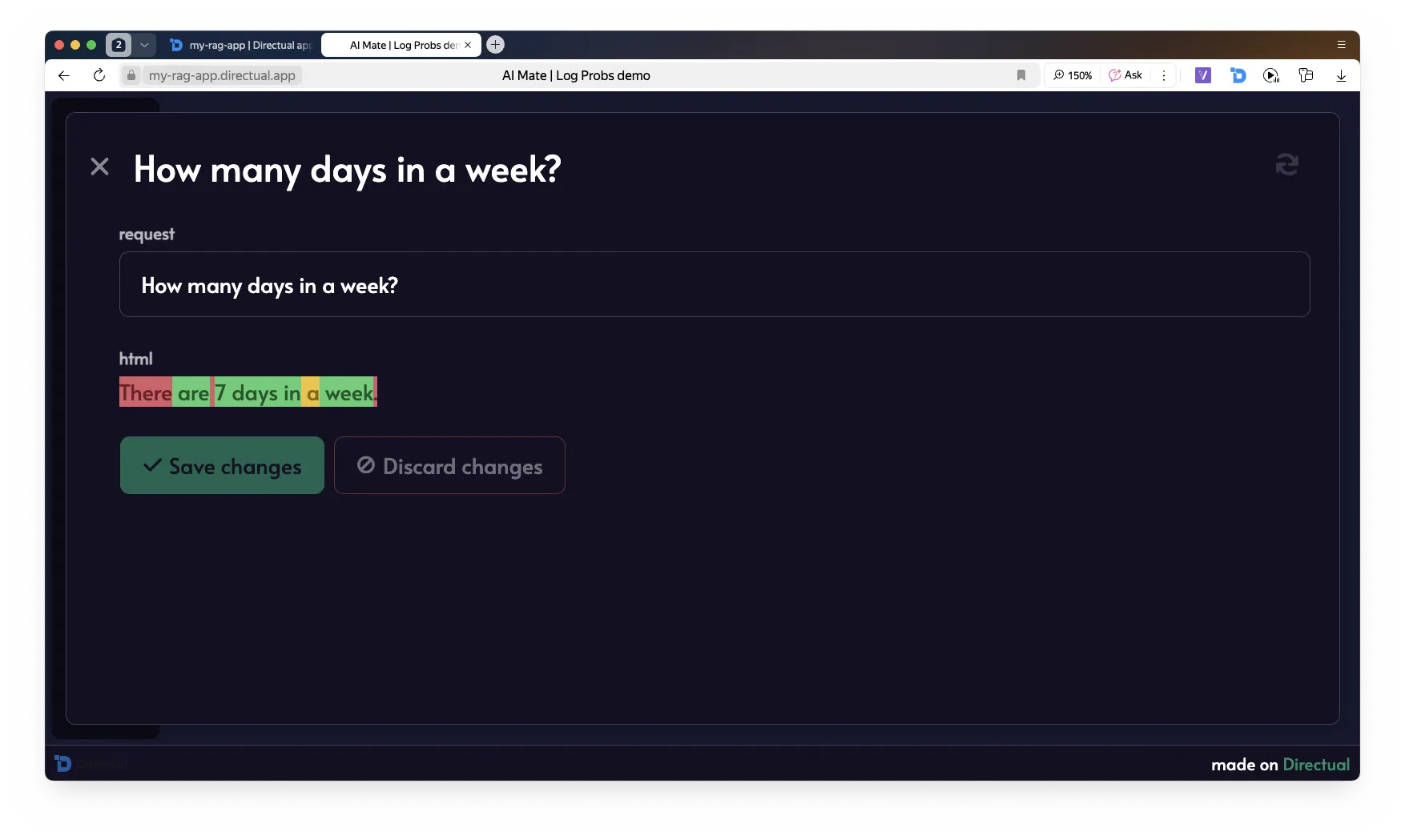
Logprobs = the log-probability of each token.
Use this to filter unreliable responses.
What you can do:
In combination with Structured Output, you can check confidence at the field level.
On Directual:
Code for visualizing the model’s response with logprobs: true:
This code generates the HTML. Additionally, you need to save the CSS in the Web-app => Custom code section:
Model: Qwen 1.5 1.8B Chat — a small model, but enough for demo purposes on a laptop!
Make sure the necessary tools are installed.
We’ll use virtualenv to keep dependencies clean.
torch — the PyTorch engine Qwen runs ontransformers — Hugging Face library for loading and running LLMsaccelerate — auto-detects GPU and optimizes inferenceflask — a lightweight framework for APIs; we’ll use it to run our local serverThink of it like GitHub, but for models and neural networks. Qwen is hosted there.
Go to https://huggingface.co/, log in (or sign up if needed), and create a new Read-only token.
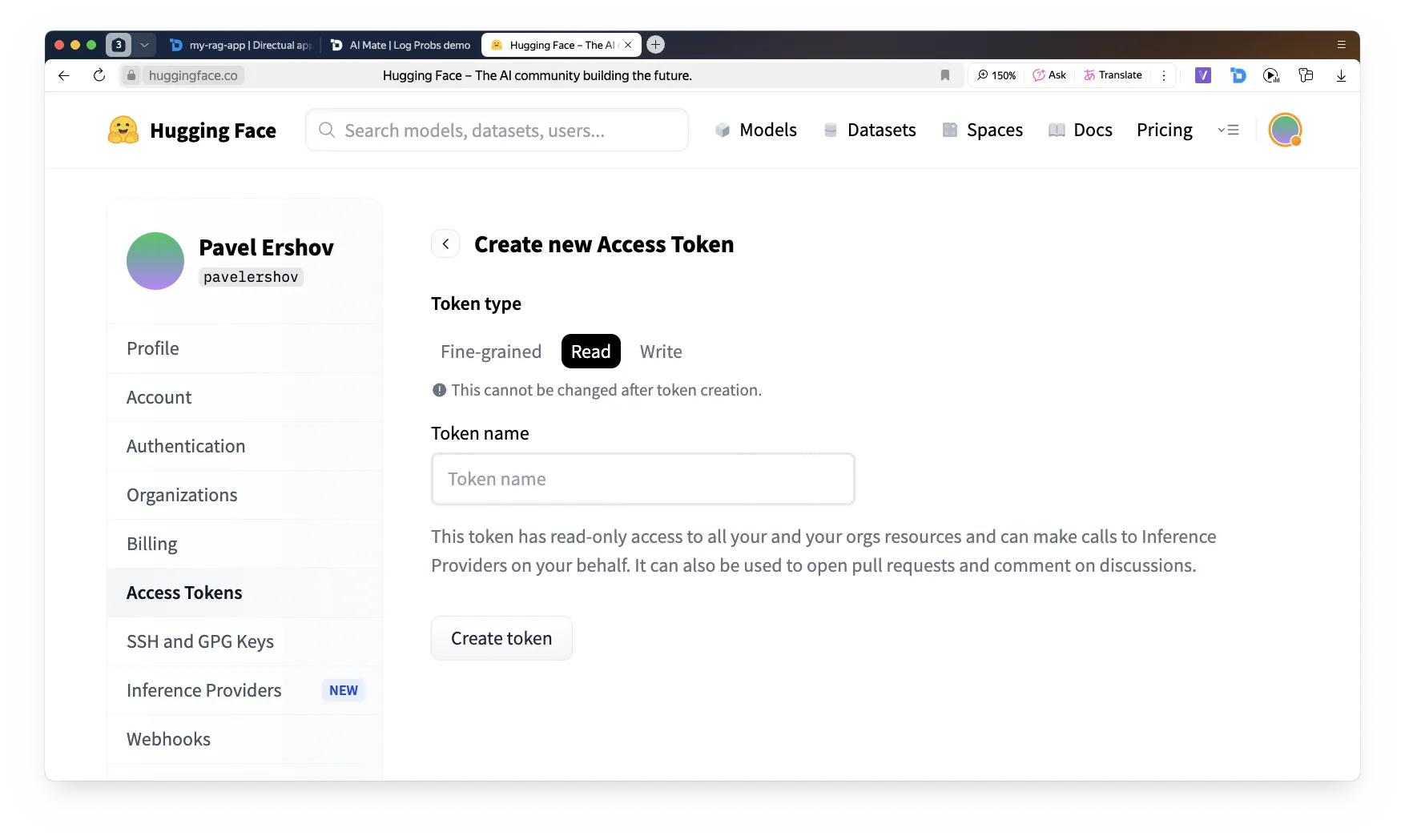
Back to the terminal — log in to Hugging Face and enter your new token.
Now let’s do a quick check to make sure everything works.
Open Jupyter Notebook — a lightweight interactive environment that makes it easy to write and run Python projects step by step.
If it’s not installed, install it via:
Create a file named test_qwen.py
Run it in the terminal.
The model download may take 10–15 minutes. After that, it will be stored locally and ready to use.
We’ve confirmed that the model runs and responds — now let’s create a server that will expose an API identical to the ChatGPT API.
Create a file called app.py
Run it!
Now we have a local API, but we need to make it accessible from the internet — including from Directual.
Register an account at ngrok.com, get your token, and run the following in the terminal:
he generated API endpoint can be used in an HTTP request step in Directual — just like any other LLM API!
You’ve learned:
And most importantly — how to connect it all together on Directual.
Now it’s all about practice.
Apply what you’ve learned, build assistants, create your own agents. Good luck!
Hop into our cozy community and get help with your projects, meet potential co-founders, chat with platform developers, and so much more.