Discover the easiest way to build an app without coding. Follow this step-by-step guide and learn how to create your own app with no programming knowledge. Start now!
Coding is a difficult thing to do, and learning to code is even more so. If only there was an answer…but wait! There is! No-coding is precisely the approach take if you’re looking to develop your own apps.
From conceptualization to launch, you’ll coast through the entire app development process and learn how to use no-code tools and platforms that require little to no coding skills. Whether you're an entrepreneur, a small business owner, or just someone with a great app idea, this guide is for you! So sit back, relax, and get ready to bring your app to life.
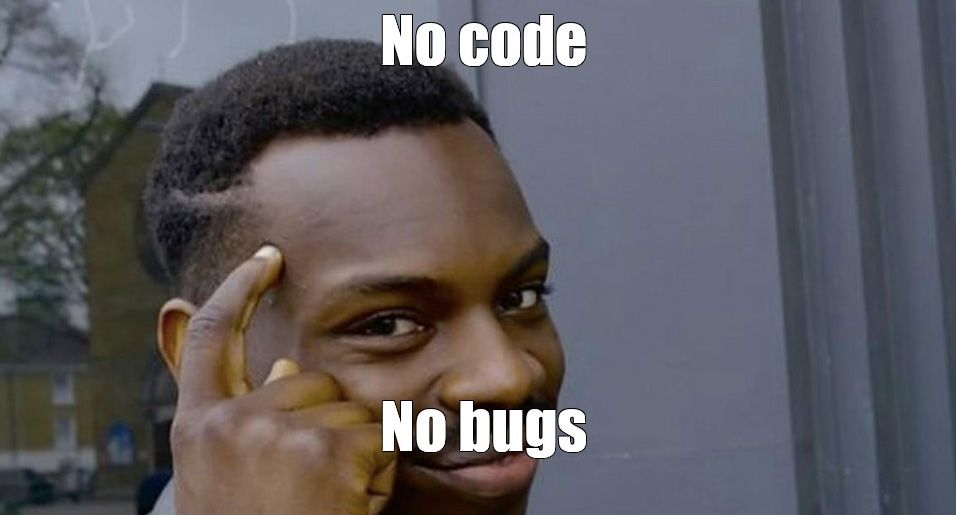
Nuff said’
Let's dive in!
In short, no-code app development is the process of creating software using visual interfaces, drag-and-drop tools, and pre-built elements, instead of writing code from scratch.
That way, you can build apps for various platforms like iOS, Android, and the web, without the need for complex programming languages like Python, Java, or Swift. Some of them might be helpful - like JavaScript, or understanding how NoSQL and API work, but it’s not necessary.
So, how does it work?
No-code platforms (like Directual!) offer their clients pre-built templates, visual editors, and a whole range of other tools to create apps really fast. You can drag and drop components like buttons, images, text boxes, or even entire backend logic constructions, and connect them together to create a fully functional app.
No-code app development is a game-changer for entrepreneurs, project managers, startups, small businesses, and anyone who wants to create an app without the time and cost of hiring a developer. Because they are really pricy!
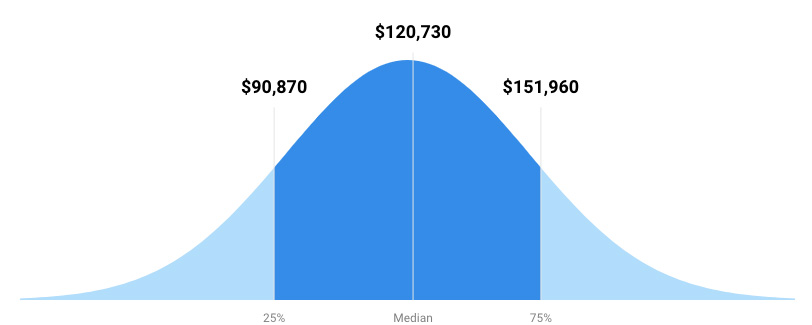
Average developer salary in the US in 2022. Ouch! Courtesy of usnews.com.
So, that's no-code app development in a nutshell. It's a way to create amazing apps with minimal technical expertise, and it's revolutionizing the world of app development—both traditional and decentralized.
Needless to say, there are many. That’s why more and more companies switch to no-code development and citizen developers are expected to handle more and more tasks. But let’s go by the list, first:
Easy to use: No-code platforms are designed to be simple and accessible. With drag-and-drop interfaces, UI editors, and templates, just about anyone can create an app, regardless of their technical expertise. All it takes is starting, learning a bit, and experimenting.
Time-saving: When you just take pre-made templates and functions and mash them all together, suddenly you have something that works. Instead of spending weeks or months writing code, it’s possible to create your working prototype in a matter of hours or days, with something you can push out to production in a matter of a month.
Cost-effective: No need to hire expensive developers or spend money on coding tools (weak argument, but still). This makes it a great option for startups, entrepreneurs, and small businesses who want to create an app without breaking the bank, and every penny counts. On top of that, supporting your app is just as inexpensive, as with operational limit-based models, you pay as you go.
Flexibility: With backend powerful enough, you can put any kind of wrapper on it. Need an app for iOS or Android? No problem, it’ll just work. Have a web app in mind? Even fewer steps to take. This gives you the ability to create an app that works best in any given scenario.
Customization: Because apart from pre-built templates and components, no-code platforms also let you to customize your app to your liking. You can add your own branding, choose your own color schemes, and personalize your app to match your vision. And if you DO know how to code—you can create all sorts of super niche things as well.
No coding skills required: Finally, and perhaps most importantly, no-code platforms enable anyone to create an app, regardless of their coding experience. All you need is an idea and the desire to build. Everything else comes as you go.
The right no-code platform is going to make all the difference in your app development journey, so it’s best to know where to start, at least. Naturally, each platform has its own unique features, capabilities, pricing, and yadda yadda. We recommend trying and seeing for yourself—many no-code platforms work really well in tandem, after all.
No code platforms usually are specialized in something they do really well. There are platforms for mobile apps, e-commerce, social media, business tools, blockchain, and many others. It’s just easier that way—more niche platforms can help make niche products. Directual, for instance, is known for its super-powerful backend and databases, on top of built-in web page builder and blockchain functionality.
Make sure you choose a platform that aligns with the type of app you want to create.
Consider the features you need in your app or at least have an idea where it’s going to head. Things you’d probably like to include, among others:
Some no-code platforms offer more features than others, so make sure to choose the one that has it all (wink).
No-code platforms often offer a range of pricing options, from free plans to monthly subscriptions. Some even accept payments in crypto. In general, starting with a no-code platform is very cheap: for instance, Directual offers a free forever plan for limited functionality projects, and a mere $29/mo for the Startup plan.
Since no-code is all about the right calls to make to other services, they are fantastic at integrating with other services. If there’s an API, there’s a way! See the list of integrations the platform you fancy has, as it’ll save you both time and headache if you plan on connecting it with your app.
The platform's UI is expected to make sense at the very least. Don’t go for highly convoluted or complex platforms, as you’ll be working with them pretty much every day. If the axe doesn’t sit well in your hand, it’ll chop off your leg eventually.
As your project grows, you’ll definitely want to properly white-label it. That means getting rid of all the no-code platform mentions. You also want to have as much visual customization as possible - including every UI element out there.
Last but not least unless you’re building mockups, you’ll want to be able to scale. A no-code platform should suport a powerful database built precisely for high-load applications. We bragged about it someplace before in this article, right? If so, there’s virtually no other no-code platform that handles scaling better than Directual.
Now let’s take a look at the contenders for the popular no-code platform title!
It’s almost like we’ve advertised our own fine selves enough, but let’s do a bit extra. Directual is capable of creating complex workflows, integrating with various APIs, building blockchain apps, and integrating with OpenAI.
Basically, there is no limit to what you can create with Directual, and the best part—it will scale. This is something a lot of other no-code platforms cannot offer, as big projects get too laggy and slow.
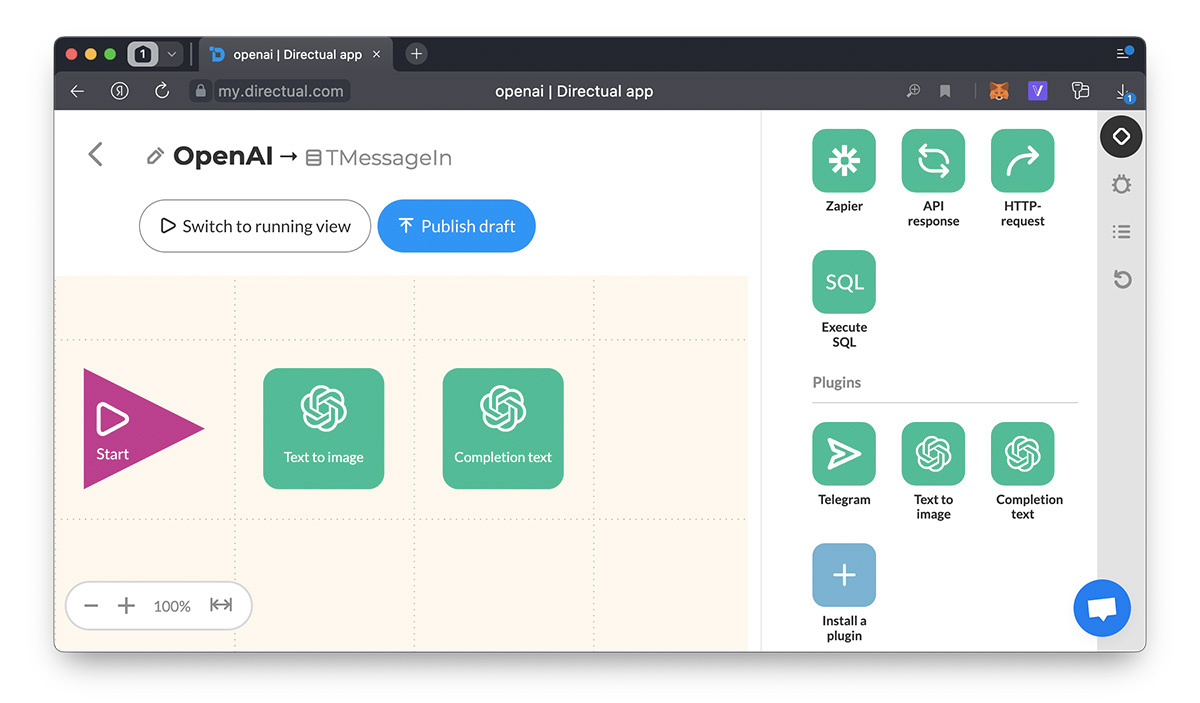
OpenAI steps in Directual, because with it, you can build stuff even faster
A popular no-code platform with a huge community and pretty interfaces. Bubble is one of the most popular choices out there, and that figures: they’ve been out there for so long now. When it comes to functionality, it’s a powerful no-code tool with a really nice frontend builder.
The dark side of Bubble, however, is scalability. At least based on 2022 data, large apps would eventually get slower and slower. Bubble works really well with Directual though, best of both worlds.
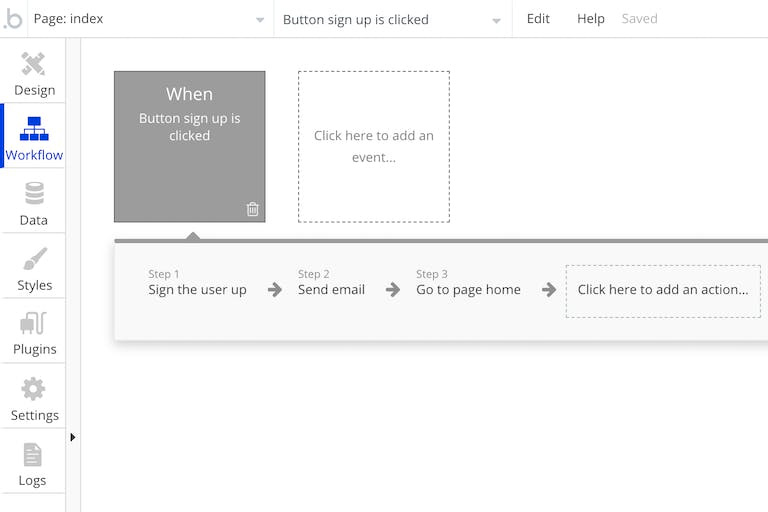
Bubble workflow builder, looks pretty nice!
Webflow is fantastic for building responsive websites. It has a ton of UI elements you can use to create something truly beautiful. There’s a big library of templates and pre-made web functionality.
However, you’ll need some other solution to properly handle the backend.
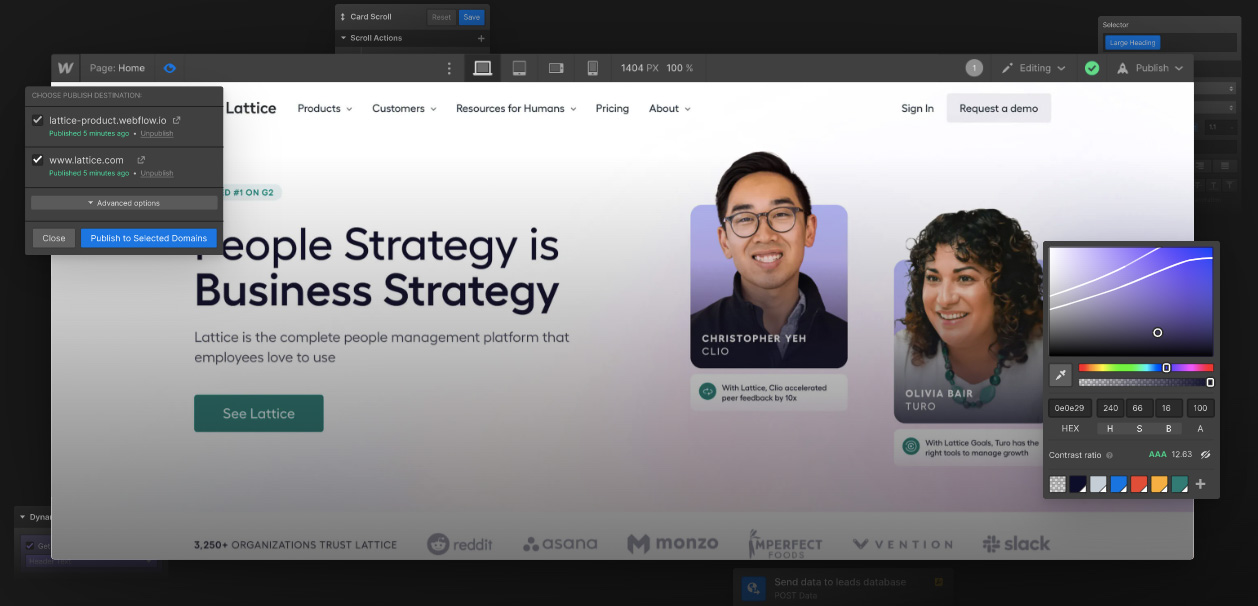
Also very pretty, love the dark mode
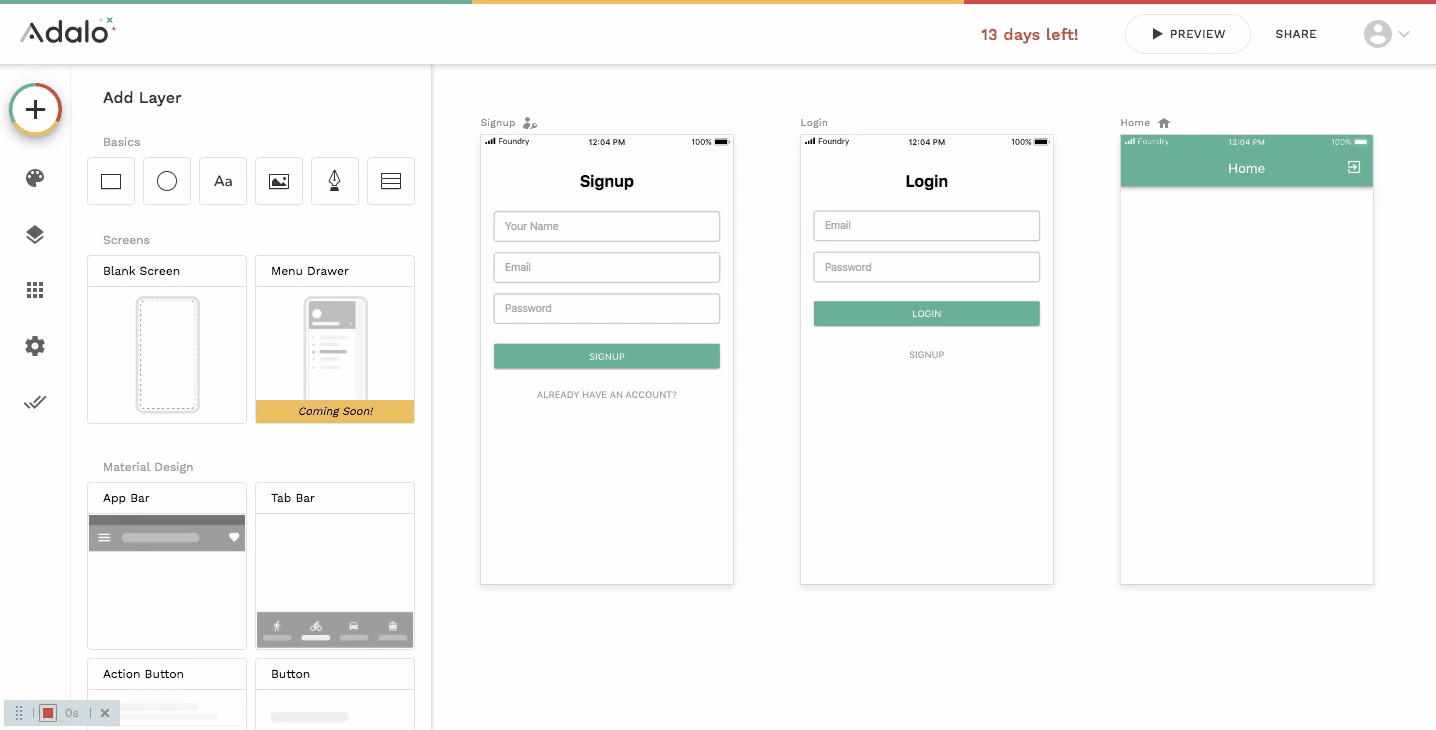
This is a really handy no-code platform specialized in no-coding mobile apps for iOS and Android. There’s a visual editor, templates, API, integrations, and everything you need to knock together an app on the fly.
However, it has the same problem Bubble has—slow when scaling.
Also known as Google Sheets on steroids. Airtable is a no-code platform focused on data organization and automation. There’s a spreadsheet-like interface, tons of templates, integrations all over, and other backend functionality.
If you’re looking for a no-code database solution, it’s a good option. For everything else, you’ll need more.
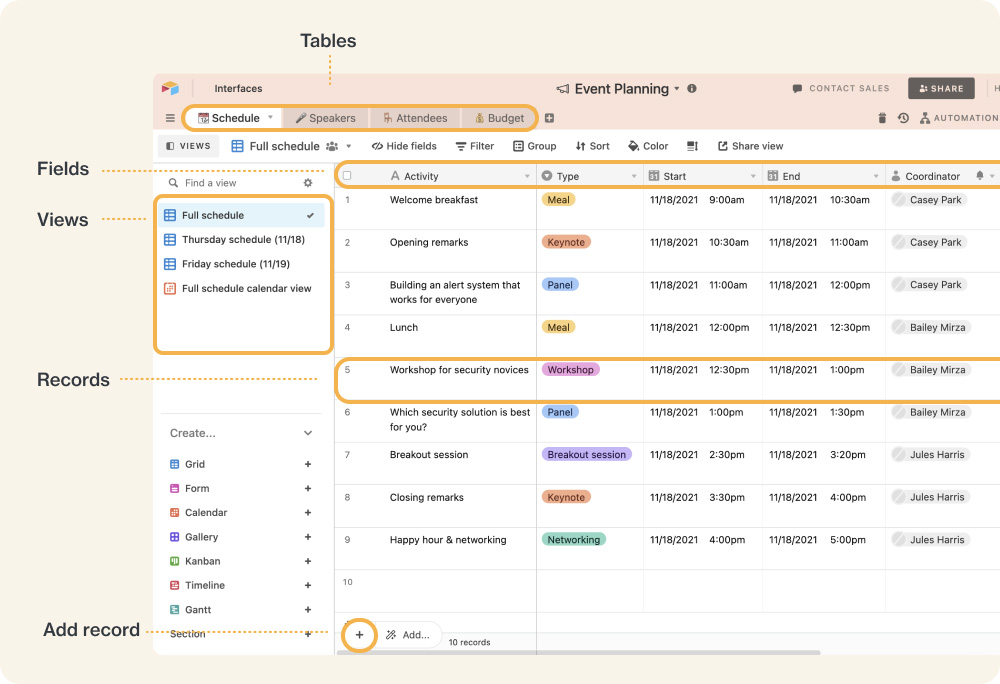
A cool explanation guide picture from Airtable docs
Now, let’s think you’ve made a decision to try some of these, and well done you! That’s already a lot more than 99% of people wanting to create will do.
The design of your app, its structure, and underlying processes are crucial if you want it to succeed, obviously. As a result, there are a few things to consider before moving on with active development. Otherwise, you might end up with something that works well and looks like a trainwreck, or vice versa.
Proper UI/UX design is crucial. User experience and user design must be in sync. Here are a few reasons why UI/UX design is so important:
You don't need to be a design expert to create a great app. Many no-code platforms, such as Directual, offer intuitive and customizable design options to help you create a user-friendly and visually appealing app.
When designing your app's structure with no-code, it's important to keep the user experience in mind.
Start by creating a flowchart or diagram of the different screens and actions your app will have. This will help you visualize how the different elements of your app will fit together and make it easier to create a cohesive user experience.
You can use no-code tools like Bubble, Adalo, or Directual to create the different screens and link them together without writing any code. As you design your app's structure, consider factors like navigation, user input, and data storage. By carefully planning your app's structure, you'll be able to create a more user-friendly and effective product.
Now let’s take a look at a more practical side of things.
Only the most tenacious will survive the gauntlet of the gazillion competitor landscape you’re likely to deal with.
Before you start building your app, define your goals and target audience. Ask yourself: What problem does my app solve? Who is my app for? Defining these elements will help guide your decisions as you build your app.
Yes, it’s time! Pick one or two. Some awesome options are available above.
Create a map of your app's structure, including its pages, sections, and features. Think about how users will navigate through your app and what elements you need to include to achieve your goals. Ideally you want to ask someone who has no idea what you’re doing to see if makes any sense.
Use your no-code platform's design tools to create an attractive and user-friendly interface. Keep in mind UI/UX design, which can impact user retention and satisfaction. Also, you want your creation to look nice and feel proud about it.
One would argue that you can swap steps 5 and 6, but still. Use your no-code platform's backend builder to form the logic of your app. This can include adding database functionality, creating workflows, and connecting to other services through APIs.
Thoroughly test your app to ensure that it's functioning as intended and that it's easy to use. Gather feedback from users and friends and use it to refine your app and improve the user experience.
Once your app is ready, it's time to publish it. Depending on your no-code platform, you may need to pay a fee to publish your iOS or Android app to app stores. If it’s a web app, don’t worry: should be fine as is.
Let’s go over the mobile app deployment bit some more. Here are some steps to follow when deploying your app:
It's important to note that the app deployment process can be different depending on the platform you used to build your app. For example, if you used a no-code platform like Directual, you will have a web app that you’ll need to wrap into an iOS or Android shell, for it to be in the correct format.
Now that you’ve (hopefully) deployed an app, you have to keep it updated and well-maintained. Bug fixes, new features, or design changes, regular updates will help your product stay afloat and relevant. If we’re talking about an app, you’ll get swarmed with negative reviews and it’ll take years to recover from that.
Anyway!
When it comes to maintaining your app, you'll want to focus on identifying issues that could cause problems for your users. Bugs, shoddy app performance, and inconsistent security measures are all a good start.
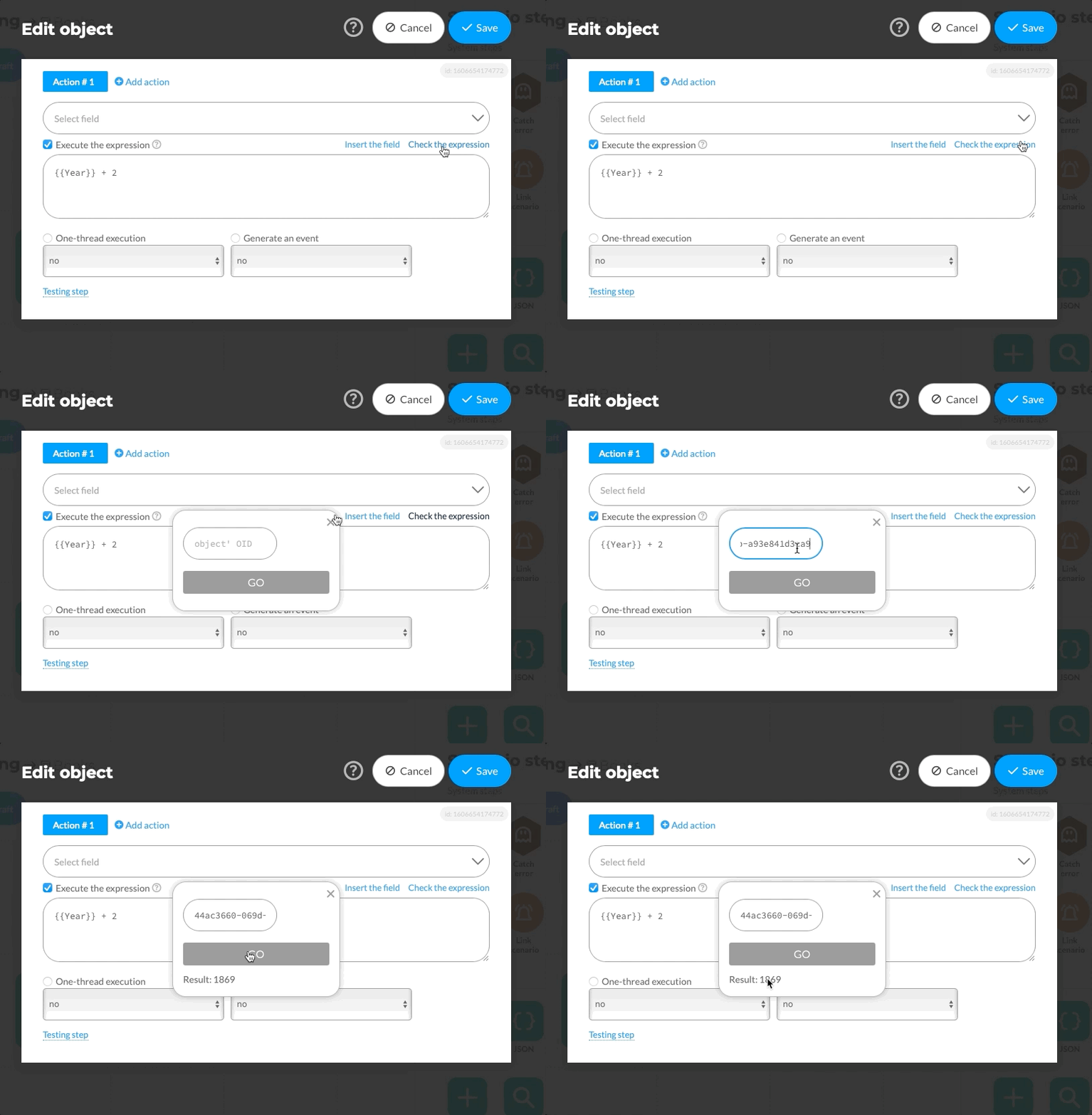
Also don’t forget to test your stuff before you push it live!
Updating your app is also important to keep up with changes in technology and user needs. This can include adding new features, improving the user interface, and incorporating feedback from your users. Regular updates can help you stay ahead of your competition and keep your app relevant.
With a no-code platform like Directual, maintaining and updating your app can be done without any coding knowledge. There are debugging tools and a test environment you can use before anything goes live.
Regular app updates must be done for several obvious reasons.
Most no-code problems have no problem with maintenance and updates, including Directual, which we’ve probably mentioned one too many times in this article already. Oh well!
No-code app development is an excellent option for anyone who wants to create an app but has little to no coding experience. There are many options on the market, all with their perks and downsides. At the same time, pros and cons don’t matter as much, as you can connect them all together for ultimate synergy.
For those of you who want a TL:DR;
With no-code platforms, you can create fully functional apps for various platforms, including iOS, Android, and the web. Drag-and-drop tools and pre-built templates help to get there fast. No-code development is easy to use, time-saving, cost-effective, and flexible. When choosing a no-code platform, consider the app type, features, pricing, integrations, user interface, customization, compatibility, and scalability. Also, just do it. Enough reading, go and build your app now. 5 minutes is all we’d ask for to start with.
There are a lot of no-code platforms in the market, including Directual, Bubble, Webflow, Adalo, and Airtable. With the right no-code platform, you can bring your app idea to life and make it a reality.
Also, you can ask us how—if Directual is your pick! Send us a message to hello@directual.com. We’ll do our best to answer your questions and speed you along to your no-code-powered dream app.