
Software documentation is essential because it can help users understand how to use your software, inform developers and other stakeholders about technical aspects of your project, and help ensure that the development process is consistent and repeatable. In addition, well-written software documentation can help improve the overall user experience.

It doesn't matter what industry you're in – basic metal manufacturing, aerospace, retail, or IT. Documentation is always a must, but no one likes to work on it. The IT industry is no exception, as developers would rather deal with code than write documentation.
Proper software documentation is indispensable for projects of any scale. It makes life easier for new users and developers by providing the following benefits:
Explaining how things work and what they do
Explaining product features
Helping other team members easily get involved in the development process
Helping you to keep track of changes and the reasons behind them.
In other words, software documentation can make or break your project. If you want to secure the success of your project, one of the most important things you can do is to make sure your documentation is in order.
In this article, we will give some tips on how to approach software documentation for developers/no-coders.
Software documentation is a type of documentation that provides information about a product to people who develop, deploy and use it. It typically includes a variety of documents and materials that describe features, capabilities, and intended use.
Sure, it is much more complex than that, but in simple terms, there are several types of software documentation:
For end users. This type of documentation provides guides or step-by-step instructions for common tasks and describes the features and capabilities of the software. It also includes tutorials or other training materials to help users learn how to use the software.
For developers and other technical stakeholders. This type of documentation provides reference manuals with detailed technical information about the software, such as its API, data structures, and algorithms. It also includes processes and procedures used to develop, test, and maintain the software.
For system administrators and other IT professionals. This type of documentation provides installation guides and instructions for installing and setting up the software on various systems. It also includes system documentation that describes the hardware and software components that make up the system and how they interact.
This goes without saying, but it is important to remember that each type of documentation requires a slightly different approach because it is intended for different audiences.
Software documentation is not just dry text with code samples and explanations. It can be interactive and efficient. Here are a few common practices to build highly informative software documentation:
Centralize your documentation. If all documentation is stored in one place, users will easily find it.
Provide readers with additional information. These can be FAQs, lesson library, and other related resources. They help new users/developers with successful onboarding and learning what they need to know to start working
Create and follow a specific style guide. By following a set of rules and guidelines, you can avoid using conflicting or inconsistent styles, which can make documentation more difficult to read and understand. A style guide can help establish a clear and consistent tone for your documentation.
Yes, you guessed right. Directual also has a few tricks up its sleeve when it comes to software documentation. Integration with Swagger is one of them. Swagger has its own HTML-based user interface that connects directly to live APIs to make requests and submit data. What's more, Swagger can read the API structure and annotations to automatically generate documentation.
You don’t need to enable or connect anything because everything is already integrated. Swagger specification can be composed for any and all API endpoints you wish to use.
Try it out by enabling the swagger documentation option in the API endpoint configuration of your project.
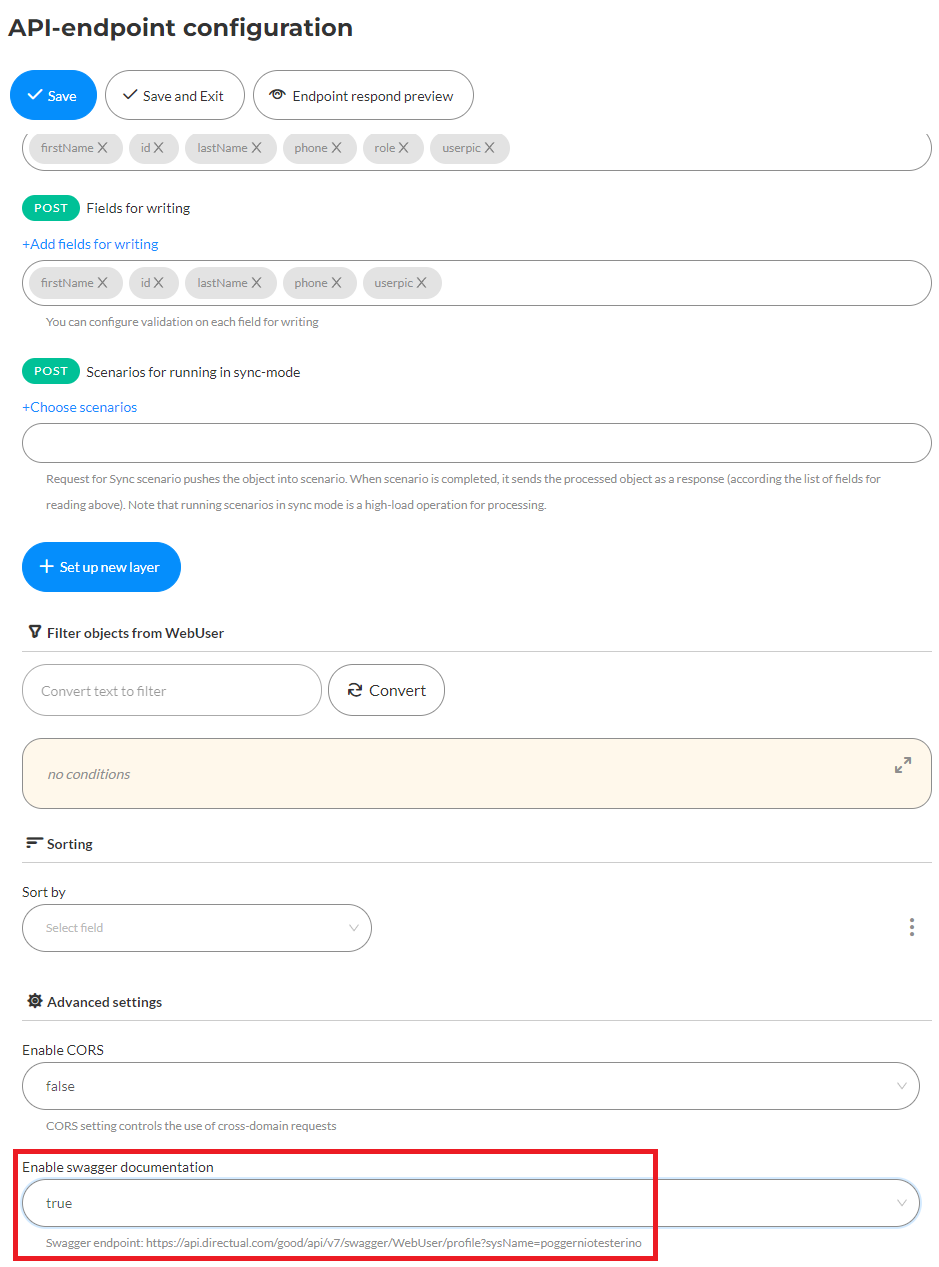
Below the setting, you can find a link to the endpoint. Copy and paste it to your browser to test it out.
OpenAI is an amazing tool that will help you write your documentation faster. You can type it with your voice, you can feed the AI information to write the documentation for you, or you can ask the AI to analyze the code and tell you how it works in a digestible way. It's a wonderful integration and it's free, just add an API key.
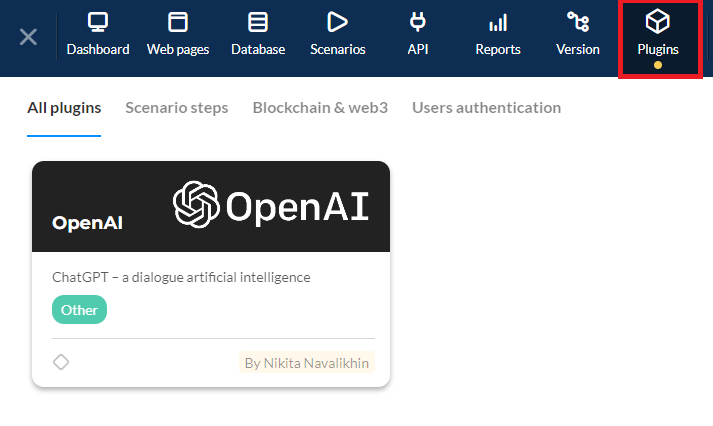
Want to see how it works in practice? Watch this lesson to see what no-code and OpenAI are capable of.
Software documentation is an investment that pays off in the long run. At the same time, you should use your investment wisely by carefully considering how, why, and for whom you write it.
Although Directual is a no-code platform designed to help you build any application you can imagine, you can also use it to create software documentation or any type of documentation with easy-to-use integrations such as Swagger, Open AI, and built-in tools.
Become a part of Directual’s growing no-code community, or in case you have a specific query, hit us back by sending a message to hello@directual.com.
Until we meet again!